JPClient: Japan
ELMaster / Booking & access management

Cloud booking and
entry management.

ELMaster is a cloud-based reservation and entry/exit management system for rooms and facilities. Users check availability and book in one tap from a smartphone or web browser, find the place with GPS directions, and enter or exit with a QR code. Bills are recorded automatically from usage history and charged to a credit card or invoice.

One-tap bookingQR code entry/exitAutomatic billing
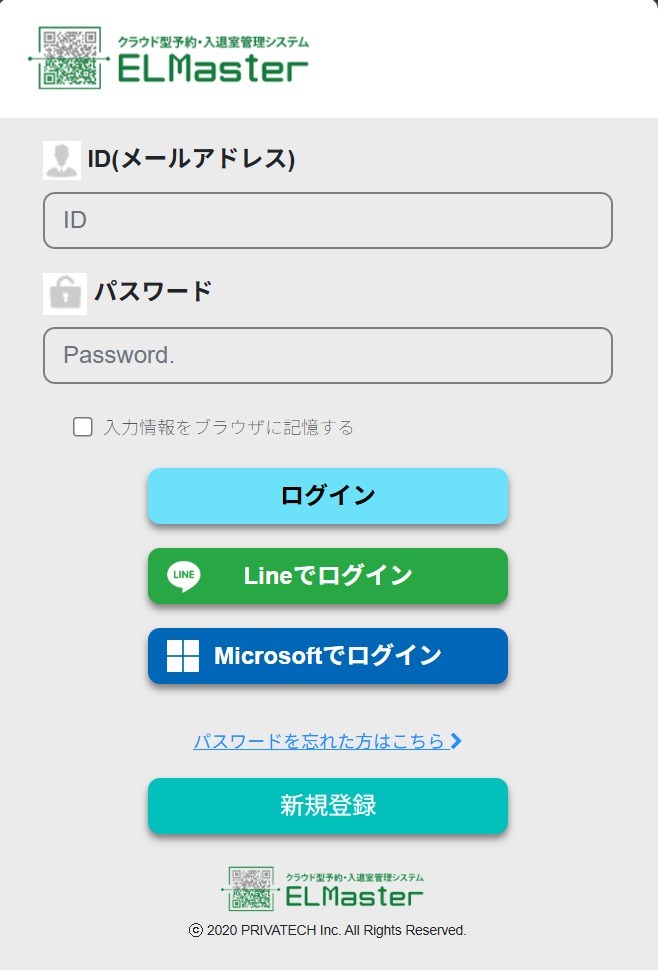
ELMaster cloud booking and access management login screen, with ID, password, LINE, and Microsoft sign-in
9Standard modules
1 tapTo book from a smartphone
QRCode as the entry/exit key
5Client projects in Japan
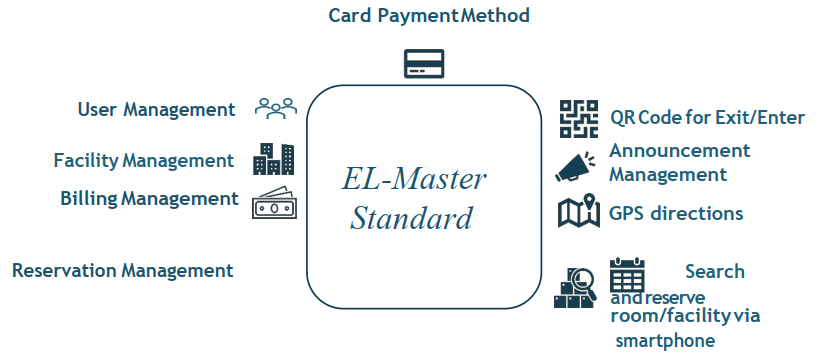
ELMaster Standard

The nine standard modules.

01

User management

Manage member accounts and access rights.

02

Facility management

Register rooms and facilities, rules, and opening hours.

03

Reservation management

View, approve, and change every booking.

04

Billing management

Bills calculated automatically from usage history.

05

Card payment

Charge usage to a credit card or invoice.

06

QR code entry/exit

A QR code works as the key to enter and exit.

07

Announcements

Post news and notices to facility users.

08

GPS directions

Guide first-time visitors to the right place.

09

Search and reserve

Find and book a room or facility from a smartphone.
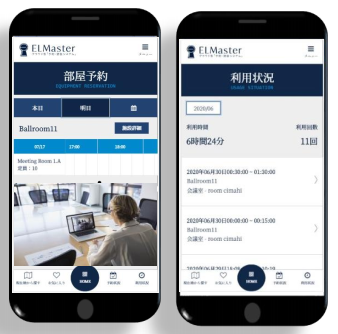
ELMaster: One-tap booking from a smartphone
01One-tap booking from a smartphone

Booking from a smartphone.

Users check facility availability and manage their reservations from a smartphone or any web browser, with no app to install.
  • Real-time availability for every room and facility
  • Book, change, or cancel in a few taps
  • Works on smartphones and PC browsers
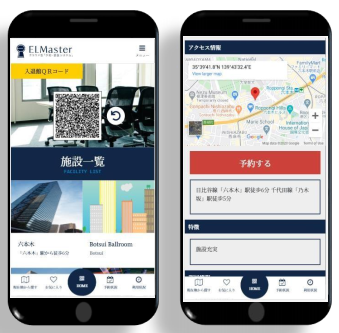
ELMaster: GPS directions and QR code
02GPS directions and QR code

GPS directions and QR entry.

First time at the facility? GPS directions make sure no one gets lost. On arrival, a QR code is the only key needed to enter and exit, which keeps room reservations simple.
  • GPS directions to the reserved place
  • QR code as the entry/exit key
  • No physical keys to hand over
ELMaster: Usage history and automatic billing
03Usage history and automatic billing

Automatic billing.

ELMaster records every use. Bills are created automatically from the usage history and sent to the user’s credit card or invoice.

  • Usage status by date and facility
  • Automatic bills from usage history
  • Credit card or invoice payment
Projects

Client projects.

Each project is a booking system built for a specific client or facility.

01
Project 01

Event venue operator

Booking SystemDetails coming soon
02
Project 02

Business facility

Booking SystemDetails coming soon
03
Project 03

Railway company

Booking SystemDetails coming soon
04
Project 04

Business park

Booking SystemDetails coming soon
05
Project 05

City government

Booking SystemDetails coming soon
Technical details

Technical specifications.

Supported browsersiOS 9.2+, Chrome 42+, Firefox 34+, IE 11+ (application only), Microsoft Edge
Server OSWindows Server 2012 R2/2016 (64-bit)
CPU4+ cores, max frequency 3.5 GHz or higher
Memory16 GB or more
Disk1 TB (1,024 GB) or more recommended
Max simultaneous connectionsLicense for up to 50 units

Technology

PHP · CodeIgniterVue.jsBootstrapjQueryMySQL 5.6Redis 3.2
ELMaster

Interested in ELMaster?

Tell us about your facility and how you take bookings, and we’ll share more details.