Daily learning on PCs and tablets
Every registered learning app and task, launched from one familiar home screen.

One student. One device. One account. L-Gate brings learning apps, daily check-ins, national computer-based tests (CBT), and classroom insight together in one secure, cloud-based entrance for students, teachers, and boards of education.
Two views from the real product: the portal teachers use every day, and the admin menu for boards of education. School names, users, and notices are demo data.
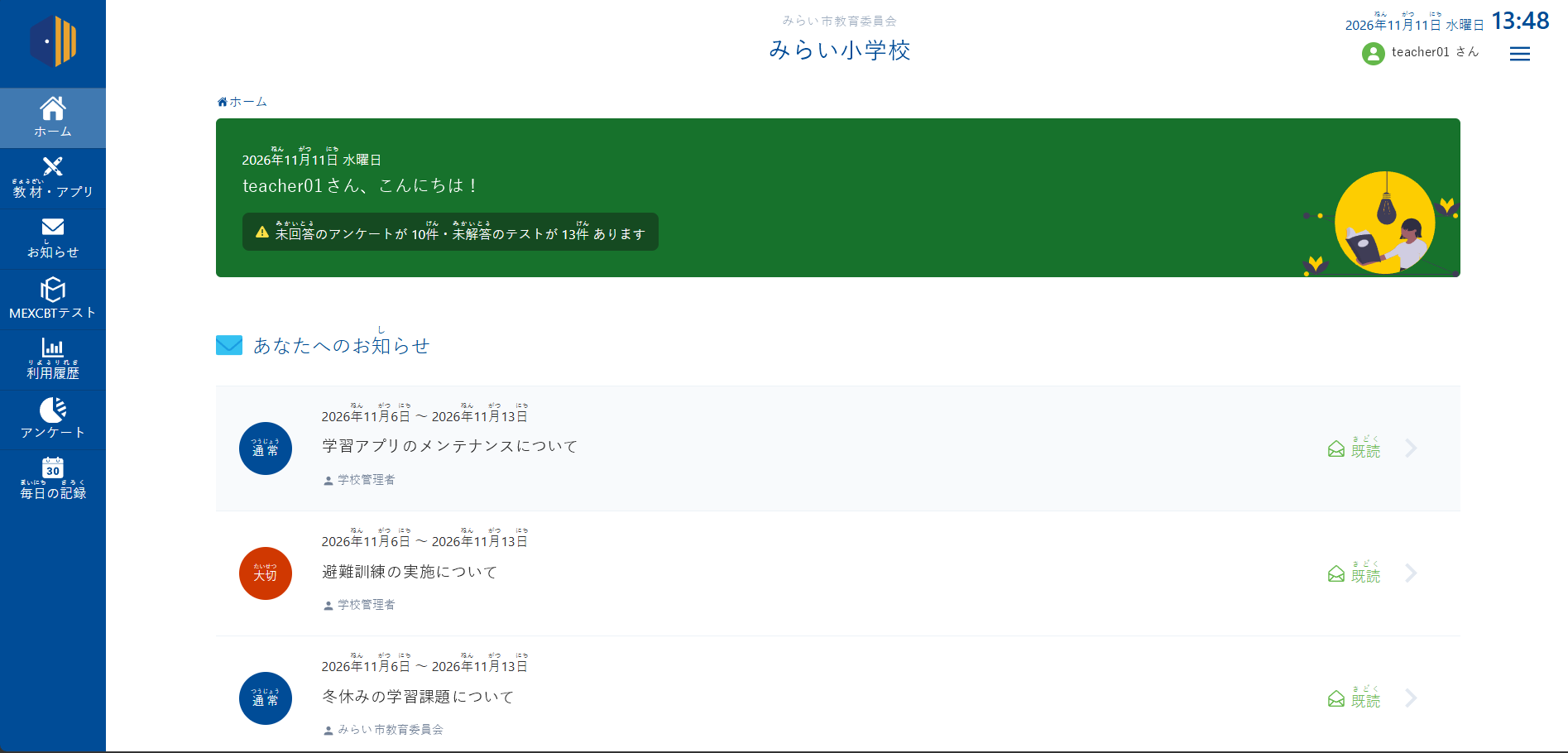
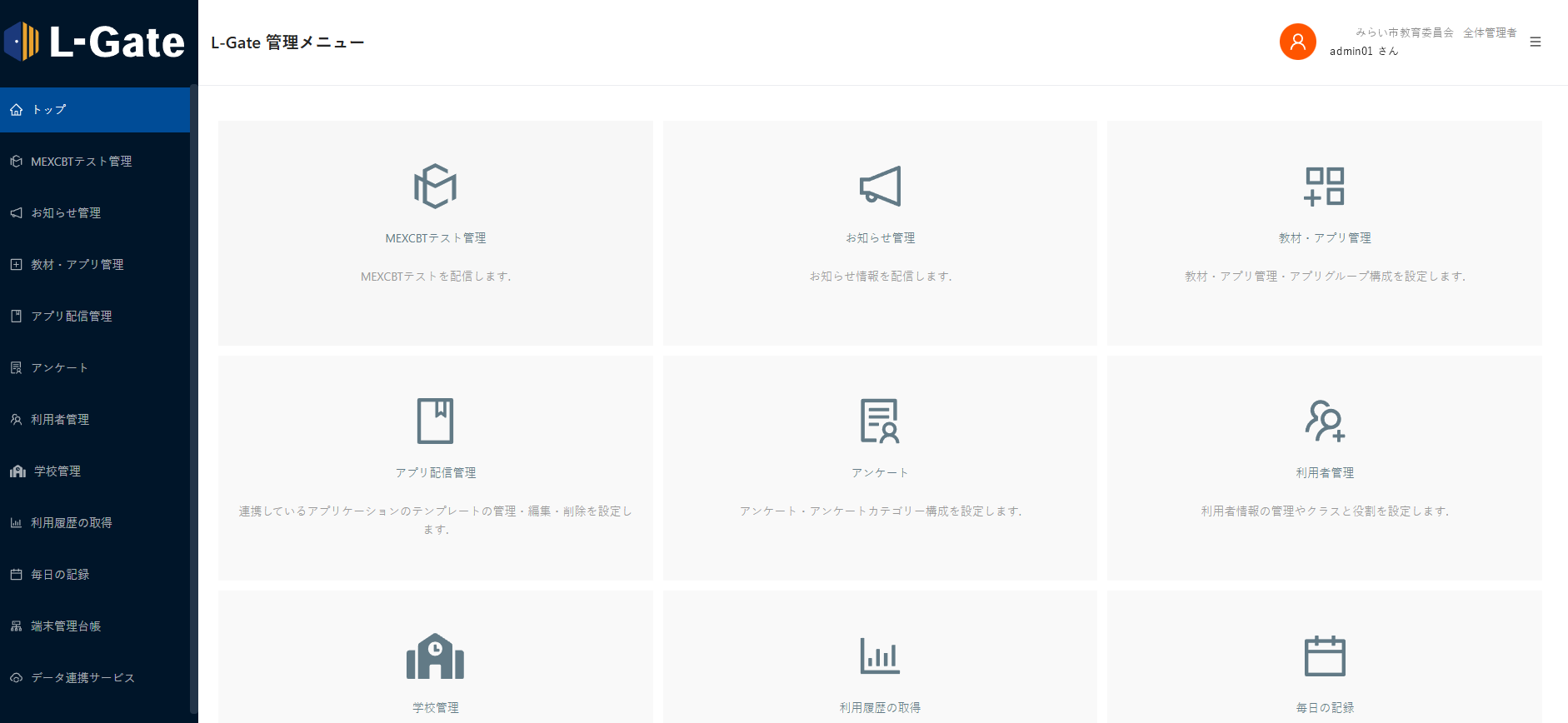
Provided by Uchida Yoko Co., Ltd., L-Gate gathers what a one-to-one device classroom needs into a single cloud portal, so learning continues wherever students are.
Every registered learning app and task, launched from one familiar home screen.
A personal account that follows each learner across apps, classes, and school years.
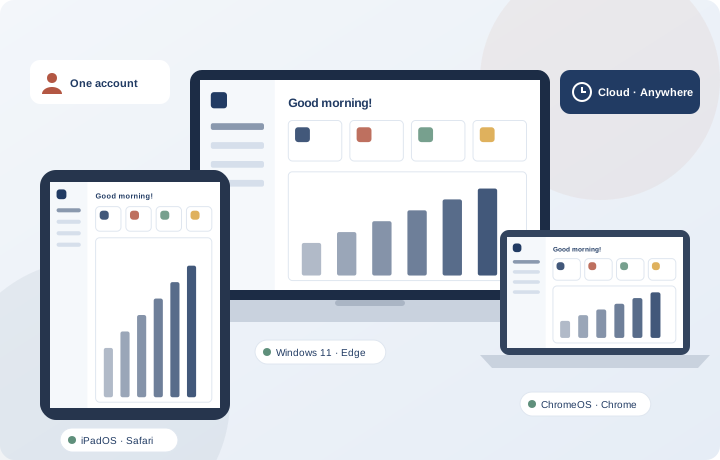
Delivered from the cloud. Any internet connection is enough to keep learning.
Runs in the browser on Windows, iPadOS, and ChromeOS. Nothing to install.
Daily records and test results turn each learner’s progress into clear, usable data.
Compliant with Japan’s interoperability standard model for primary and secondary education systems.
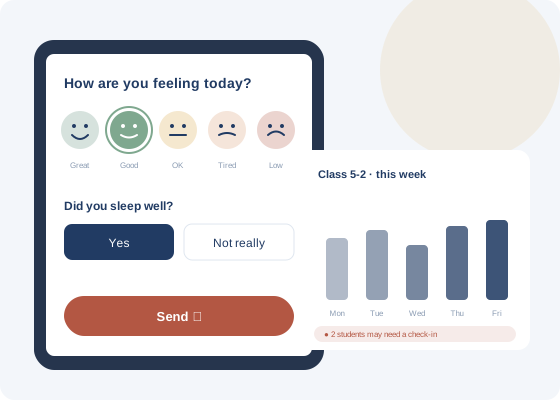
With Daily Record, students answer the same short questions every day. Over time, small answers become a clear picture of how each child is really doing.
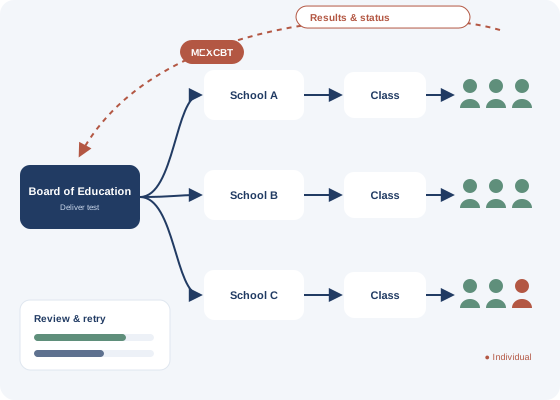
L-Gate connects to MEXCBT, the computer-based testing system of Japan’s Ministry of Education (MEXT), and removes the busywork around test day.
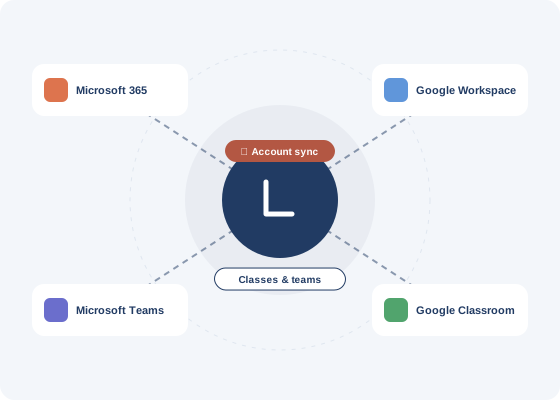
Running thousands of one-to-one accounts is hard. L-Gate keeps them aligned with the platforms schools already use.
One sign-in to everything they need today.
See every learner and act sooner.
Run the whole school from one screen.
Understand every school with data.
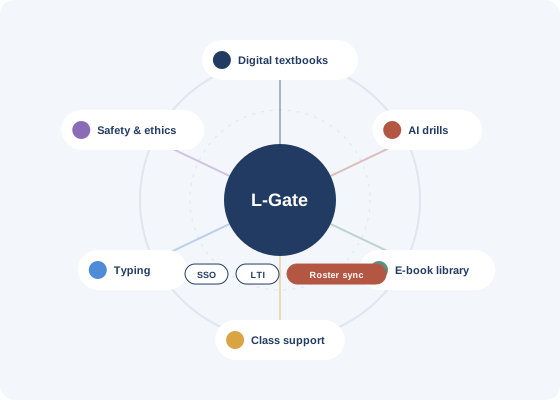
L-Gate connects with dozens of partner services, from digital textbooks, AI drills, and e-book libraries to class-support tools, typing practice, information ethics, and disaster preparedness.
 WaygroundInfosign↗
 LoiLoNote SchoolLoiLo↗
 schoolTaktCodetakt↗
 Qubena (AI learning)COMPASS↗
 MetaMoJi ClassRoom 3MetaMoJi↗
 Just SmileJustSystems↗
 Surala DrillSurala Net↗
 ClassCloudMikulak↗
 Yomokka! e-booksPoplar Publishing↗
 Gakken School LibraryGakken↗
 DigipalRISO KAGAKU↗
 RealCASTUchida Yoko↗
Connection types vary by service. See the full Friendly Services list ↗ for current partners.
Microsoft Edge
Safari (no separate app needed)
Google Chrome
Answers based on the official L-Gate information site.
Official FAQ ↗L-Gate is a learning e-portal from Uchida Yoko for the PCs and tablets used by students and teachers. Because it runs in the cloud, it can be used on any device, anywhere with an internet connection. Schools can register online learning apps, use MEXCBT, send notices, and collect surveys, while boards of education can send notices to schools and check app usage by school.
Contact Uchida Yoko through the official introduction inquiry form. A representative will follow up with next steps.
Windows, ChromeOS, and iPadOS. L-Gate is used through a web browser.
No. On iPad, open L-Gate in the Safari browser.
It is offered to public and private elementary, junior high, and high schools in Japan.
L-Gate is free to use.
PANTONA is involved in the quality assurance of L-Gate. Our engineers help make sure the portal works every school morning, on every device, for every student and teacher who relies on it.
Re-testing every release, from everyday learning tools to MEXCBT test delivery and results, so existing features keep working.
Structured testing across Windows, iPadOS, and ChromeOS browsers, so every release works reliably in classrooms.
Experience with SSO, LTI, and roster sync that connect learning apps to the portal cleanly and securely.
Official pages from the companies and organizations behind L-Gate and the standards it works with.

The company that provides L-Gate, with a long history in education and learning environments in Japan.
uchida.co.jp
Features, news, maintenance notices, manuals, training, and introduction inquiries.
info.l-gate.netUchida Yoko’s solutions for schools and education, including other services that connect to L-Gate.
uchida.co.jp/education
The Ministry of Education’s page on its CBT system, which L-Gate integrates with (Japanese).
mext.go.jp
Microsoft 365 and Teams for schools, which L-Gate accounts and classes can sync with.
microsoft.com/education
Google accounts and Classroom for schools, which L-Gate accounts and classes can sync with.
edu.google.comL-Gate is a learning e-portal provided by Uchida Yoko Co., Ltd. Product names, company names, and logos are trademarks of their respective owners and are shown for reference. Illustrations on this page are original artwork with sample data, not actual product screens.
Tell us about your education service, integration needs, or quality goals.