
JPClient: Japan
SmartLock / IoT · Smart locker system

Smart lockers for
equipment and storage.

SmartLock is a smart locker system for offices and facilities. Staff reserve equipment or a shared locker on the web, open it with an IC card or QR code, and return it without paperwork. RFID tags on every item let the locker check what came back and notify users and administrators automatically.

IC card and QR unlockRFID return checkEquipment and shared lockers
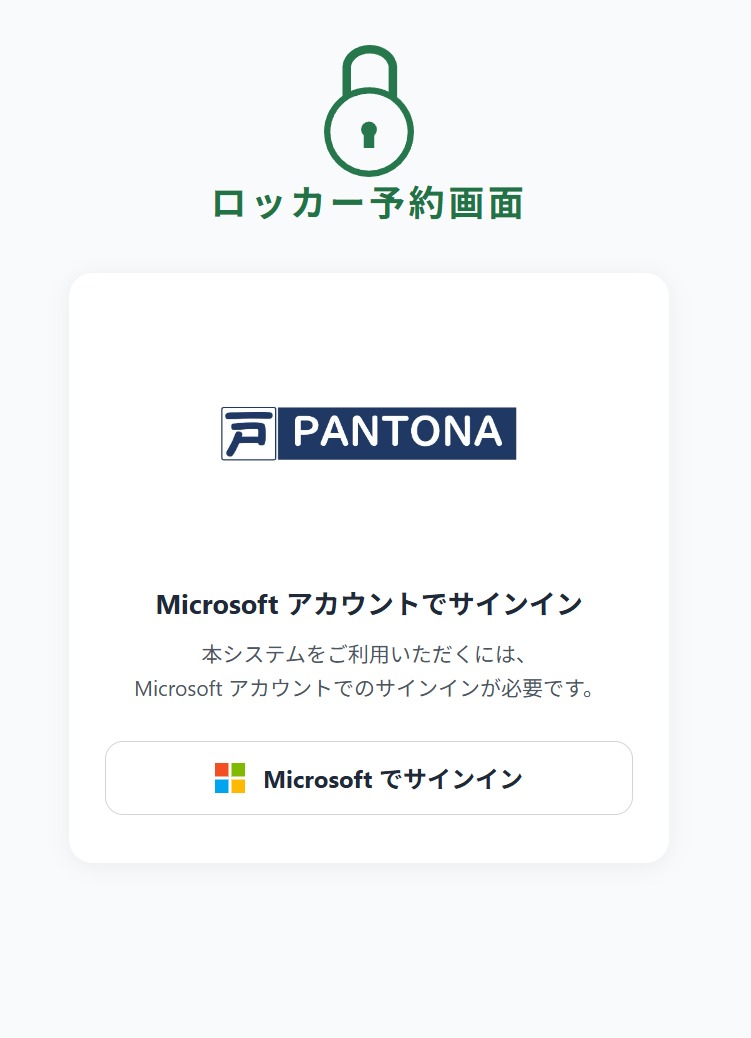
SmartLock locker reservation screen with Microsoft account sign-in
2,856QA tests passed · 0 failed
2Locker modes: equipment rental and shared lockers
2Ways to unlock: IC card or QR code
UHFRFID tags to check every returned item
444Security tests passed
Two ways to use it

Two locker modes.

Equipment rental

備品貸出

Lend laptops, cameras, and other shared equipment from lockers, with reservations and automatic return checks.

  • Search equipment and reserve a time slot
  • Pick up with an IC card or QR code
  • RFID check confirms every returned item
  • Usage history for each user

Shared lockers

共用ロッカー

Give staff and visitors a locker to store their belongings, chosen on the web or at the locker itself.

  • Choose a free locker on the web or on site
  • Store, take out temporarily, and retrieve
  • Unlock with an IC card or QR code
  • Clear status on the locker touchscreen
Equipment rental

Equipment rental flow.

01
Step 1

Reserve

Book equipment on the web or Smart Navi; reservations can also come from Outlook.

02
Step 2

Unlock

Tap an IC card or scan a QR code at the locker to open the right door.

03
Step 3

Use and return

Put the equipment back in the locker and close the door.

04
Step 4

RFID check

The locker scans the tags, completes the reservation, and notifies the user.

RFID integration

RFID return check.

UHF RFID tags on each piece of equipment turn the locker into an inventory checkpoint. No manual counting, no guessing what is missing.

  • A unique RFID tag registered to each item
  • Tag registration mode from the admin screen
  • Bulk scan of all items when the door closes
  • Returned, missing, and unexpected items detected
  • Reservation status: pending, scanning, complete, or partial
  • Notifications to the user and administrators
  • Alert when a reader stops responding
  • Recovery for expired reservations
How it is built

System overview.

Users book through the web, Smart Navi, or Outlook. The SmartLock server manages reservations and talks to each locker over a secure API and MQTT.

UsersWeb · Smart Navi · Outlook
  • Equipment search
  • Locker selection
  • Reservations
  • Usage history
SmartLock serverAPI · admin site · notifications
ReservationsMonitoringLogs
Locker controllerRaspberry Pi 5 with a ready-made image
IC card and QR readersUnlock at the locker
UHF RFID readerChecks returned items
Admin site

Admin site functions.

01

Companies and admins

Superadmins manage companies and administrator accounts; admins manage their own company.

02

Equipment and RFID tags

Register equipment, assign or replace tags, and keep the change history.

03

Buildings and lockers

Set up buildings, floors, and lockers, and switch them active or inactive.

04

Locker monitoring

See the live status of every locker and open one remotely when needed.

05

Reservations

Manage equipment and shared locker reservations in one place.

06

Email templates and logs

Edit notification emails and review admin, user, device, and reservation logs.

Technical overview

Technical overview.

Locker deviceRaspberry Pi 5 with a ready-made SmartLock image
ReadersIC card · QR code · UHF RFID
ConnectionSecure HTTPS API and MQTT
Admin siteGoogle Chrome and Microsoft Edge
User siteEdge, Android, and iPhone
IntegrationsMicrosoft sign-in · Outlook · Smart Navi
Quality assurance

Test results.

PANTONA’s QA team tests the admin site, user site, locker devices, end-to-end scenarios, and security before each release, with container scans before and after fixes.

2,856test items passed
0failed
444security tests
3user platforms: Edge, Android, iPhone
AreaWhat is coveredItems passed
Admin siteSuperadmin and Admin roles: companies, equipment, buildings, users, monitoring, reservations, logs1,209
User siteEquipment rental and shared lockers: login, search, reservation, history213
Locker devicesIC card and QR flows, RFID scenarios, device configuration660
End-to-end scenariosReservations, Outlook, shared lockers, demo mode, RFID returns and recovery330
SecurityDirect URL access and feature and API tampering on both sites444
SmartLock

Planning smart lockers?

Tell us about your building, equipment, and how people borrow things today, and we’ll show you how SmartLock fits.